
Most people start using AI like a chatbot. Then they give Claude, Codex, or another capable agent a bigger job and watch it either produce slop or ask so many questions that doing the work yourself starts to feel easier.
One agent is often enough for a simple, one-time task. Problems begin when the work has to run repeatedly, follow the same standards, preserve history, and produce a dependable result without constant correction.
When that job includes research, file management, comparison, judgment, and reporting, split those responsibilities between specialized agents. This guide uses daily competitor monitoring to show how to build the first version of a four-agent system in one morning, then test it before turning on automation.
Use case: Daily competitor monitoring
Consider a consumer brand that wants to monitor competitor websites every day. One agent must visit the sites, collect product and pricing information, save each scan, find the previous version, decide which changes matter, explain them clearly, build a report, and send it by email.
That is a lot for one prompt to manage. The agent has to keep track of file organization, research standards, comparison rules, reporting requirements, and delivery at the same time. When the output goes wrong, it can be difficult to find the failed step without running the entire job again.
Specialized agents make those failures easier to find and fix. Josh can be tested on file management without running the research again. Maria can be corrected without changing the report format. Robert can be checked on whether he found the right changes, while Jack focuses on producing a report a person will actually read.
Smaller jobs can also reduce unnecessary model use. A simple file task can use a smaller model, and one failed step can be retried without repeating the whole job.
More agents are not automatically cheaper. Every handoff adds work, and Anthropic reported that its multi-agent research system used about 15 times more tokens than ordinary chat interactions. Use specialists when the job has clear, separate responsibilities, and give each one only the context and reasoning it needs.
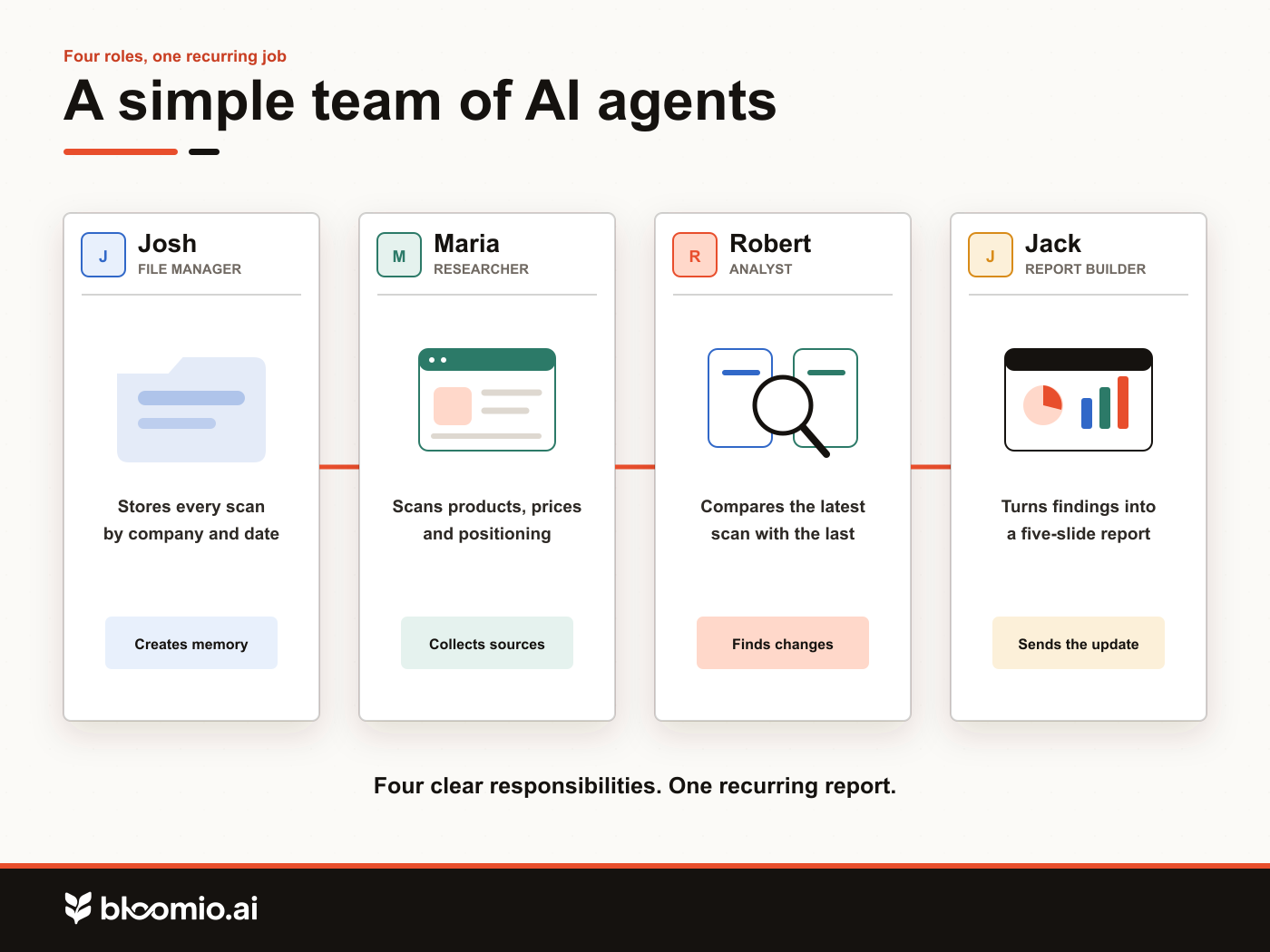
You can build this system in tools such as Codex, Claude, or Copilot. Depending on the platform, the pieces may be called agents, skills, workflows, or reusable instructions. Whatever the label, give each one a clear responsibility.
Start with the file manager
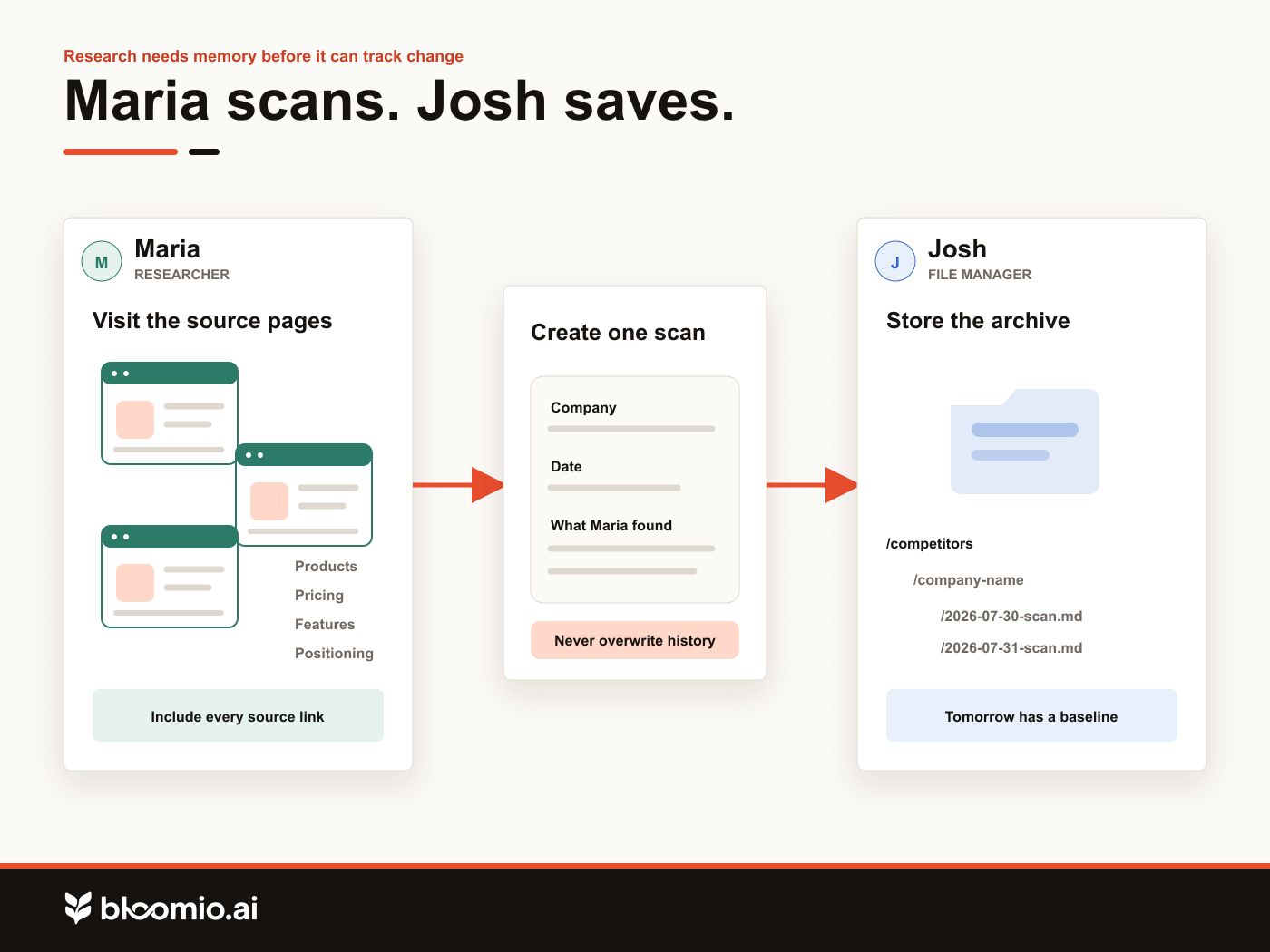
The first agent is Josh, the file manager. Josh gives every other agent a reliable place to save new information and retrieve the previous version. Without that history, the system can collect information but cannot track change.
Prompt for Josh
Create a skill or agent called Josh. Josh is responsible for organizing and managing files for this project. He should save every competitor scan in a clearly named folder, organize files by company and date, and help other agents find the newest and previous versions. He should never delete or overwrite an older scan.
After creating Josh, ask him to show you the folder structure he plans to use. Check that every scan will have a company name and date, and that a new scan cannot overwrite an older one.
Add a researcher
Maria visits the competitor websites. She reviews the pages the business cares about, records what she finds, includes the source links, and asks Josh to save the scan.
Prompt for Maria
Create a skill or agent called Maria. Maria is responsible for researching competitor websites. She should visit the websites I provide, review their product, pricing, feature, and positioning pages, and create a clear summary of what she finds. She should save each scan through Josh, using the current date and competitor name. She should include the page links used in her research.
Give Maria the websites you want to track, then run the workflow once. Inspect the files before building anything else. If the first scan does not contain the information a person would need for a comparison, fix Maria's instructions now.
Add an analyst who reports only what changed
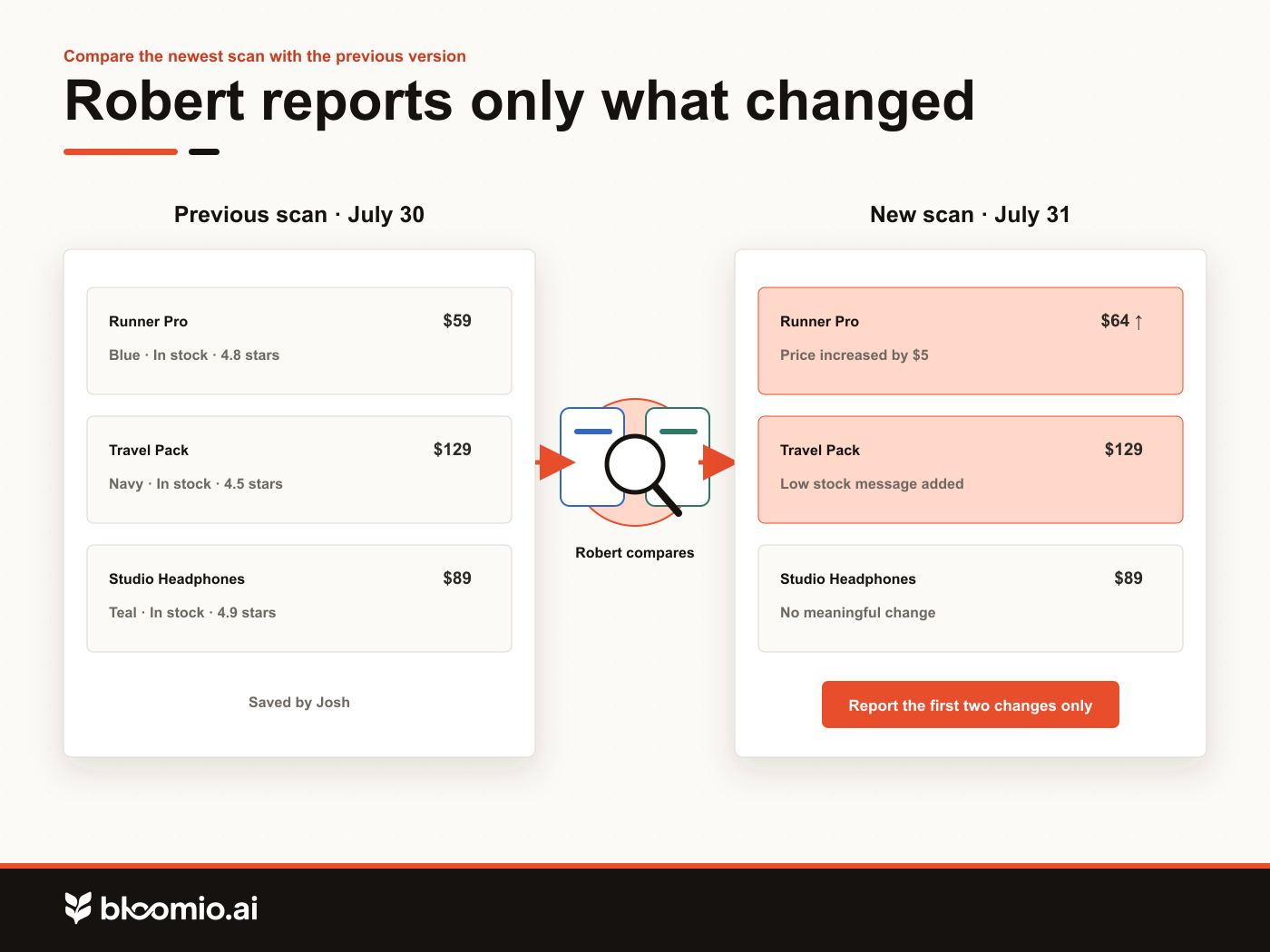
Robert compares the newest scan with the previous one. His job is to identify meaningful changes, not repeat the entire research file.
Prompt for Robert
Create a skill or agent called Robert. Robert is responsible for finding changes in competitor websites. He should ask Maria to run a fresh scan, use Josh to find the previous scan, and compare the two versions. He should report only meaningful changes, including changes to products, prices, features, promotions, messaging, or positioning. He should include links to the pages where each change was found.
For important changes, add this instruction:
Additional instruction
When Robert finds a major change, he should return to the website, review the related pages, and explain what changed, why it may matter, and what questions we should investigate next.
Run Robert manually and review the result. Remove repeated information that did not change. Check every important claim against the linked source page.
Add a report builder
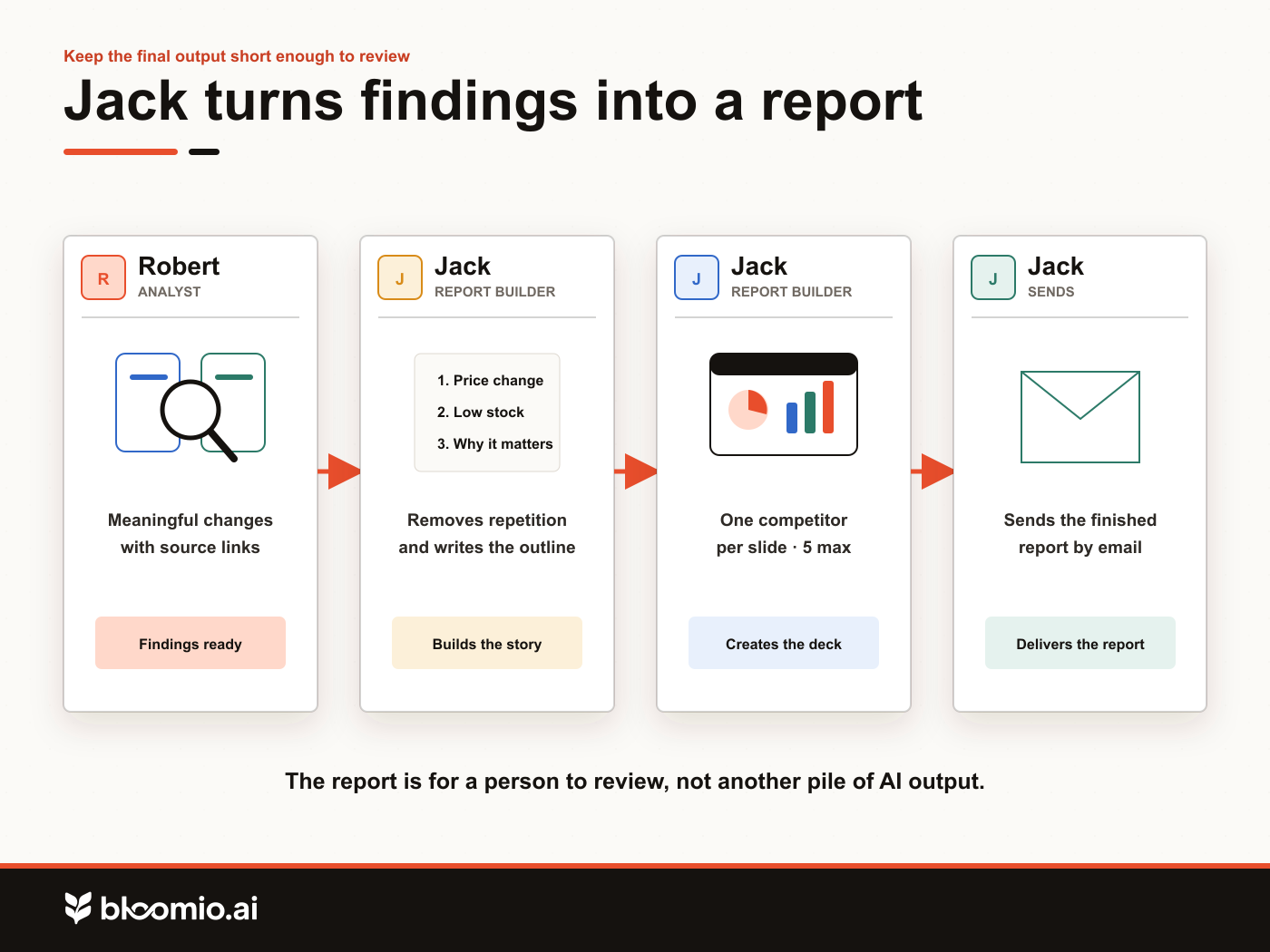
Jack turns Robert's findings into a report that a person can review quickly.
Prompt for Jack
Create a skill or agent called Jack. Jack is responsible for producing the final competitor report. He should ask Robert to run the latest comparison, take Robert's findings, and turn them into a clear presentation with no more than five slides. The presentation should focus only on meaningful changes, explain why each change matters, and include links to the original sources.
You can make the output more specific:
Additional instruction
Use one slide for each competitor. Keep the writing simple. Use screenshots or charts only when they make the change easier to understand. End with a short summary of the most important findings.
Once the report is dependable, connect Jack to your email tool and add:
Email instruction
Send the finished presentation to my email address with the subject line “Daily Competitor Update.”
Run Jack several times over a few days. A report that is concise once but inconsistent the next day is not ready for automation yet.
Let the agents call one another
Once this is done, you should not have to prompt all four agents separately. Jack can ask Robert for the latest comparison. Robert can ask Maria for a new scan. Maria can ask Josh to store the result. Josh preserves the history they will need tomorrow.
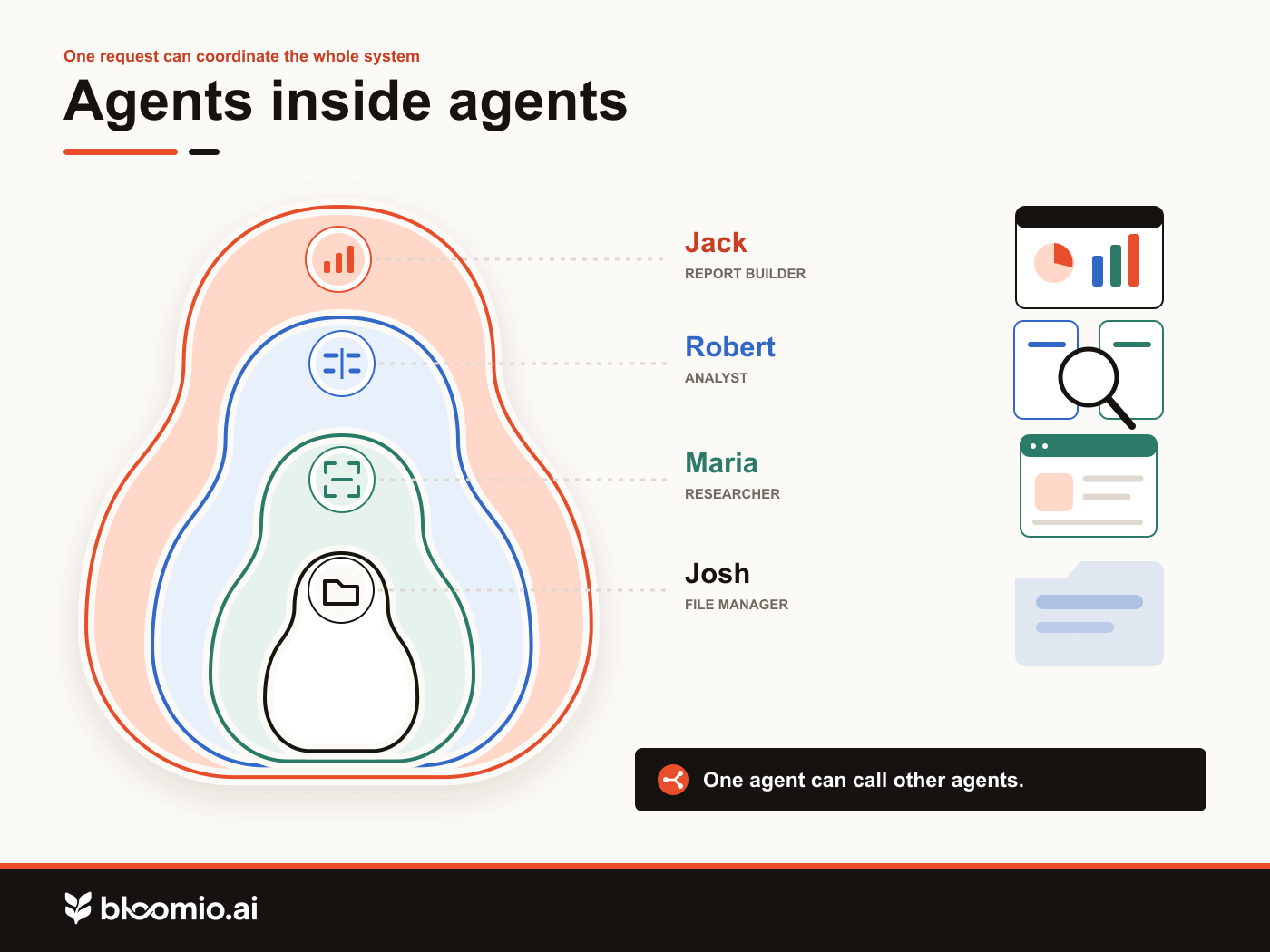
You receive one report, while the system keeps four clear jobs that can be tested and corrected on their own.
Automate the workflow last
Schedule the process only after every agent works correctly on its own.
Automation prompt
Create a daily automation that runs at 7:00 a.m. Ask Jack to produce the latest competitor report and send it to me by email. Jack should ask Robert to compare the latest scans. Robert should ask Maria to run a new scan. Maria should use Josh to save the files.
The finished process is simple: Maria collects the information, Josh stores it, Robert finds the changes, and Jack creates the report.
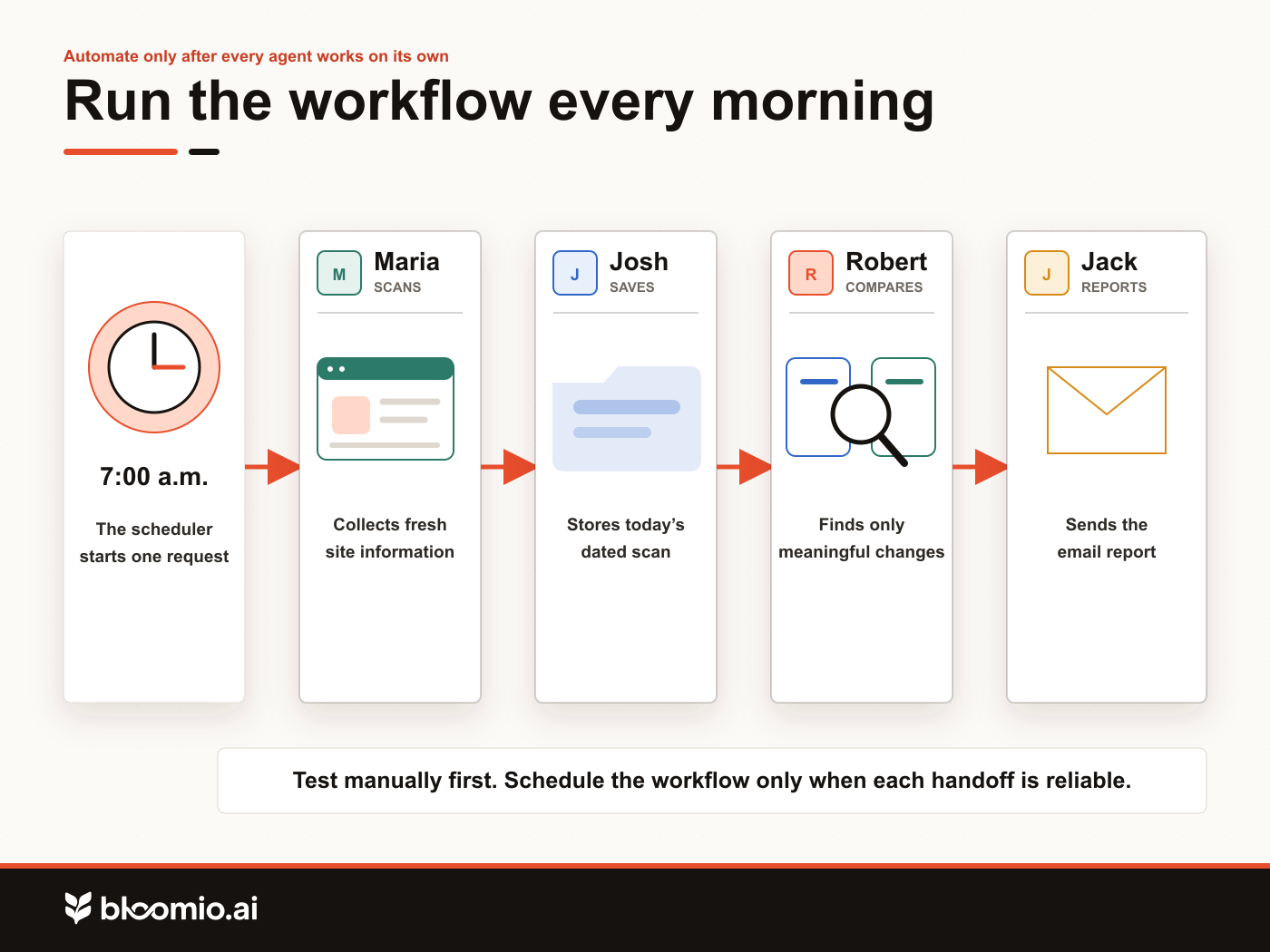
This structure is easier to test, improve, reuse, and scale than one large agent with a long list of responsibilities.
Separate customer modeling from campaign work
The same approach works in retention marketing. Let one system calculate browse intent on a schedule, then let an AI agent use that result in campaigns and flows.
Shopify Sidekick, Klaviyo Composer, Claude, and similar agents can interpret instructions and work with connected tools or customer data. But they can only work with the data they receive. Raw browsing events show individual actions. The agent still needs a consistent way to separate casual activity from repeated or increasing interest.
A general-purpose agent could try to work that out from scratch. Reprocessing months of browsing activity across an eligible customer list would be slower, more expensive, and harder to test than using a model built for that calculation.
That is the job Bloomio AI was built to handle. It analyzes 90 days of browsing activity for eligible profiles, refreshes the model every 15 minutes, and writes the result to the email platform as a custom property. Behind the scenes, machine learning rebalances the model's weights as shopper behavior changes over time.
Once that property is available, a lifecycle marketer or AI agent can use it to build segments, adjust campaign audiences, and personalize flows. The team does not have to repeat the underlying analysis for every decision.
Bloomio AI handles the repeated modeling. The agent can then combine the updated property with brand context and connected tools to help the team decide which shoppers belong in each segment, campaign audience, or flow.
Category
Practical AITags
